เกี่ยวกับเกม
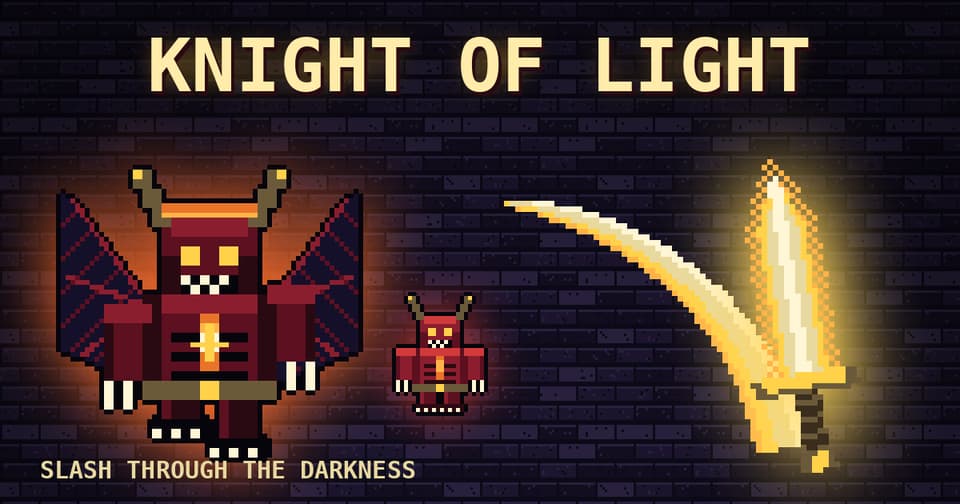
Knight of Light คือเกมแนวตะลุยดันเจี้ยนมุมมองบุคคลที่หนึ่ง กวัดแกว่งดาบเรืองแสงฟาดฟันฝูงสัตว์ร้ายแห่งความมืด และพิชิตบอสใน 3 ด่านสุดท้าทาย: Catacombs, Frozen Crypt และ Ember Depths หลบหลีกการโจมตีของศัตรู ชาร์จพลังเวทมนตร์แห่งแสง (Light) เพื่อระเบิดศัตรูรอบข้าง และเก็บลูกแก้วเรืองแสงเพื่อเพิ่มระยะโจมตี (Range), ความบ้าคลั่ง (Fury), ความเร็ว (Haste), การฟื้นฟู (Heal) และโล่ป้องกัน (Shield) พบกับศัตรูที่หลากหลายทั้งสายวิ่งเร็วและสายถึก ทำให้ทุกการต่อสู้ตื่นเต้นไม่ซ้ำกัน
แปลโดยอัตโนมัติ
- อายุที่แนะนำ: 12+
- เล่น 15 ครั้งในเดือนนี้
วิธีเล่น
Touch: ใช้จอยสติ๊กด้านซ้ายเพื่อเคลื่อนที่ ลากด้านขวาเพื่อหมุนมุมกล้อง ATTACK คือการเหวี่ยงดาบ, DODGE คือการหลบหลีก, LIGHT (กดค้างแล้วปล่อย) คือการระเบิดพลังแสงใส่ศัตรูใกล้เคียง Keyboard: WASD เคลื่อนที่, Q/E หมุนตัว, Space โจมตี, Shift หลบ, L ใช้พลังแสง, P หยุดเกม
คู่มือเกม
เขียนโดยทีม Gamealia
How to play
Knight of Light is a first-person dungeon fighter. Wield a glowing sword, slash through waves of dark creatures and defeat the boss at the end of each of three stages: the Catacombs, the Frozen Crypt and the Ember Depths.
Controls
- Touch: joystick on the left side to move, drag on the right side to look around.
- ATTACK swings the sword and DODGE slips away from blows.
- LIGHT: hold, then release to blast nearby enemies.
- Keyboard: WASD to move, Q and E to turn, Space to attack, Shift to dodge, L for Light, P to pause.
Power-ups
Grab the glowing orbs that appear during fights. They grant Range, Fury, Haste, Heal or Shield, and picking the right one at the right moment can turn a hard wave around.
Tips
- Fast runners and heavy brutes behave differently: keep moving and do not let a group surround you.
- Save Light for when several enemies are close, since it hits everything nearby.
- Use DODGE to slip away from blows instead of standing still and trading hits.