เกี่ยวกับเกม
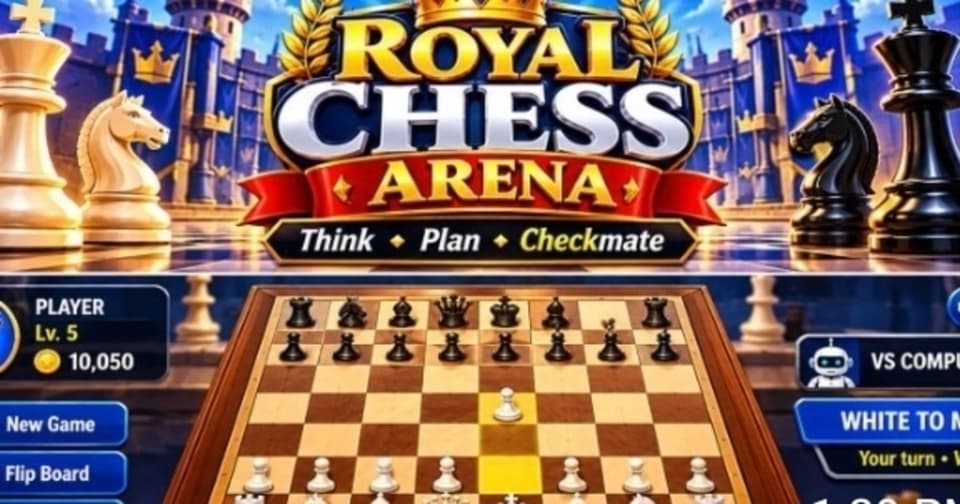
เล่น Royal Chess Arena เกมหมากรุกสุดสนุกที่คุณสามารถท้าทายคอมพิวเตอร์หรือเล่นกับเพื่อนก็ได้ เลือกความยากที่คุณต้องการ สำรวจกระดานและธีมตัวหมากรุกรูปแบบต่างๆ พร้อมเพลิดเพลินไปกับเกมหมากรุกสุดคลาสสิก ฝึกฝนกลยุทธ์ของคุณเพื่อก้าวสู่การเป็นแชมป์หมากรุก!
แปลโดยอัตโนมัติ
- อายุที่แนะนำ: ทุกวัย
- เล่น 14 ครั้งในเดือนนี้
วิธีเล่น
เลือก Play vs Computer หรือ Pass & Play เลือกความยากแล้วเริ่มเกมได้เลย ฝ่ายสีขาวจะได้เดินก่อน แตะที่ตัวหมากรุกแล้วแตะที่ช่องที่สามารถเดินได้เพื่อเคลื่อนที่ จับคิงของฝ่ายตรงข้ามให้ได้เพื่อเป็นผู้ชนะ!
คู่มือเกม
เขียนโดยทีม Gamealia
How to play
Royal Chess Arena is classic chess in the browser. Choose Play vs Computer or Pass & Play, pick a difficulty and start the match. White moves first. Tap one of your pieces, then tap a valid square to move it. Checkmate the opposing king to win.
Modes
- Play vs Computer: difficulty goes from Easy all the way to Impossible.
- Pass & Play: two players share one device and take turns.
- Board and piece themes let you change the look of every match.
Tips
If you are learning, start on Easy and move up one level at a time once you win comfortably. Pass & Play is a good way to practice openings with a friend, since you can talk through each move on the same screen.
- Before every move, check which of your pieces the opponent is attacking.
- Develop your knights and bishops early and keep your king safe.
- Look for checks and captures first: they are the moves that change a game fastest.